
We are always working hard to ensure your SoupedUp experience is improving by introducing new features, making enhancements, and squashing bugs.
Following is a summary of changes you will find in release 2.2.4.
Have a suggestion or feature enhancement? Use the 'Help' button or email support@soupedup.com to let us know.

Menus:
Ability to Print Menu Template
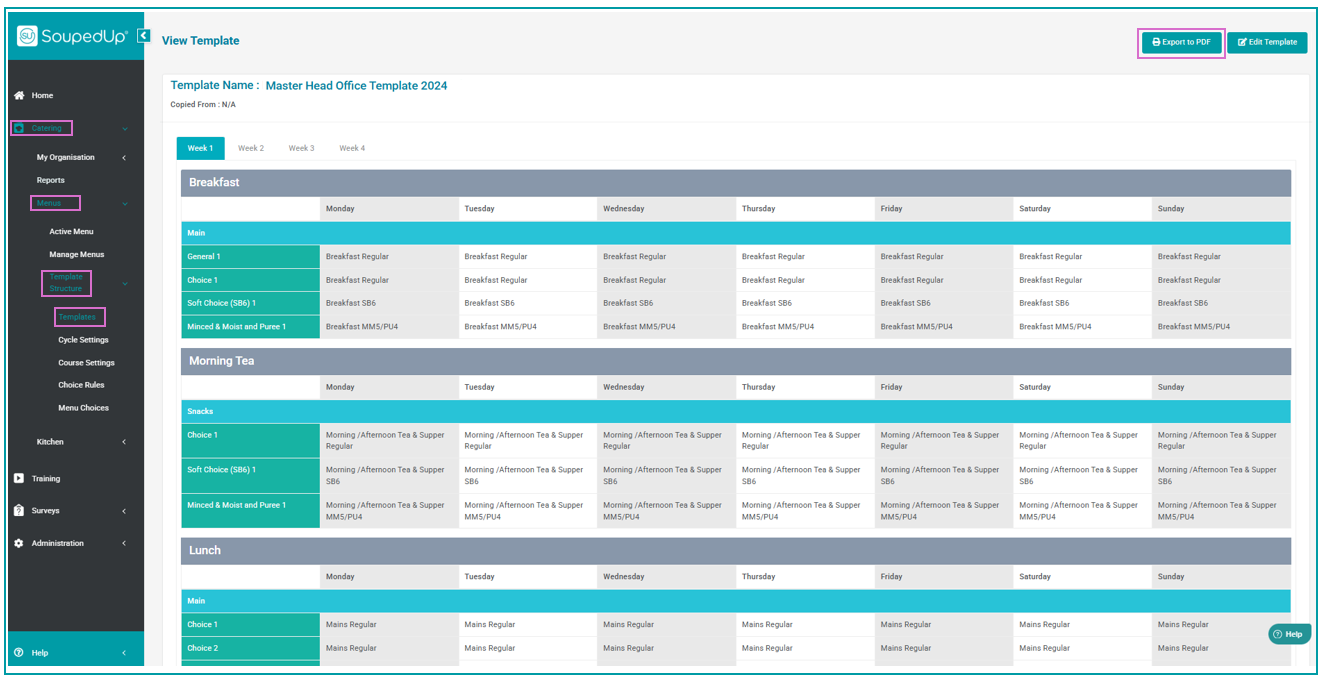
Menu templates can now be generated in .pdf format allowing you to print them for ease of sharing with your team and dieticians.
Simply navigate to the View Template screen and click the Export to PDF button.
Menu Template Build - Confirmation Prompt
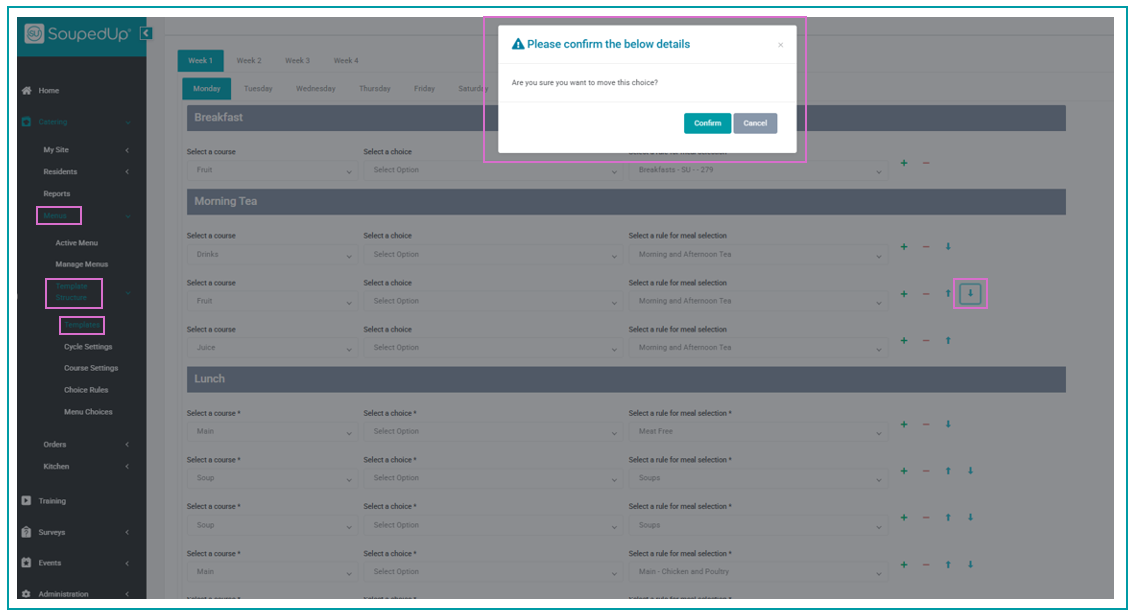
To prevent accidental changes in your Menu Template builder, a confirmation prompt will be displayed before an item is moved via the up or down arrows next to a menu choice.
Reports:
Enhanced Display Menu Weekly Report
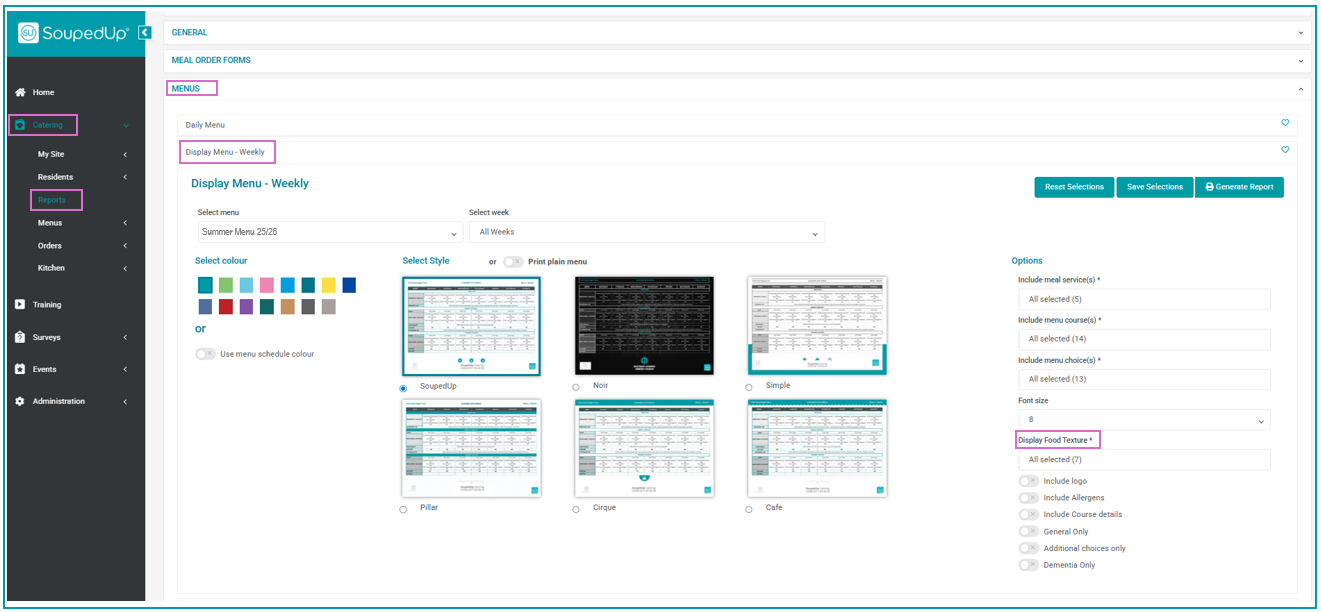
You can now generate the Display Menu Weekly report by individual texture types. A Display Food Texture* drop down filter has been added for you to select the food texture you wish to display on your weekly menu.
The texture/s chosen will be displayed in the header banner of your weekly menu.
Nil By Mouth (NBM):
We have modified the Nil by Mouth (NBM) functionality:
- The title of the Nil by Mouth / PEG Feed radio button has been updated to Nil by Mouth (NBM) and a tool tip has been added to remind users of the purpose of this button - Use this button for residents that have no oral nutrition intake.
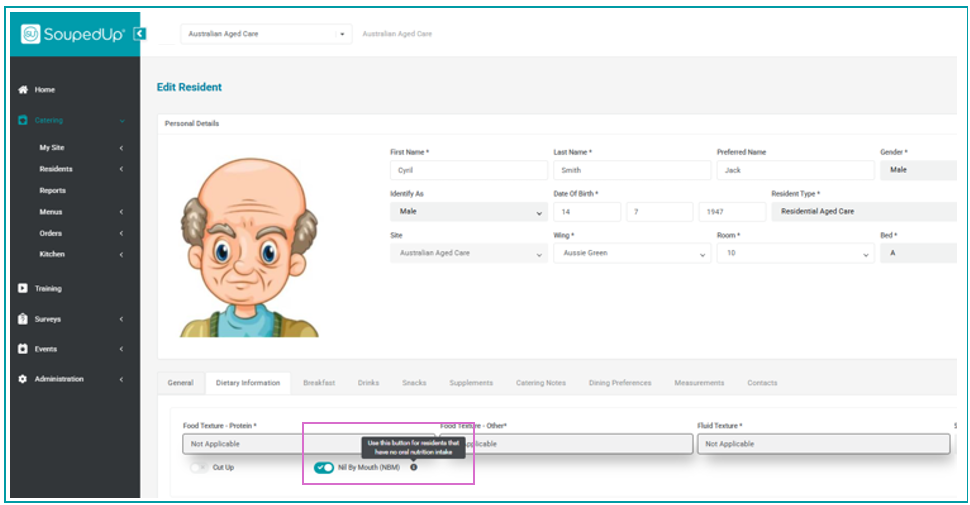
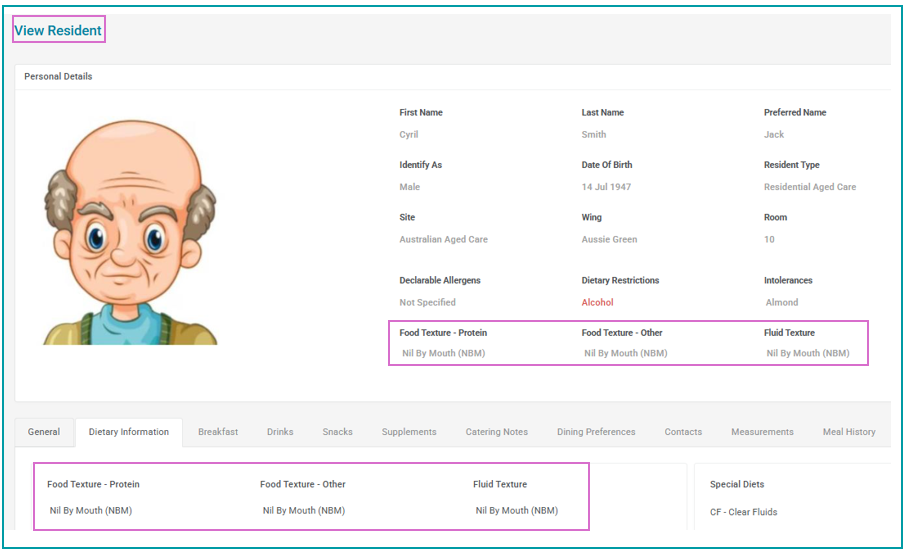
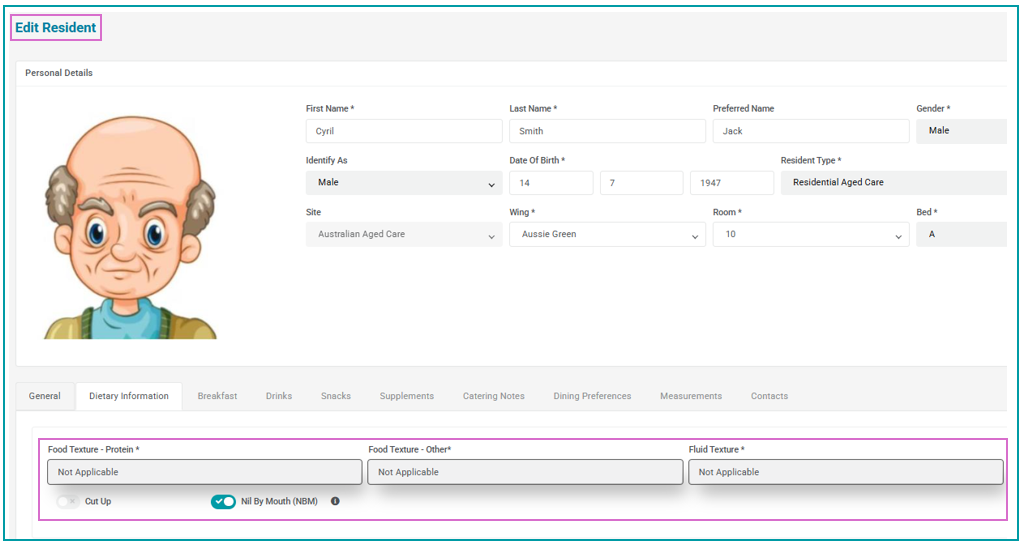
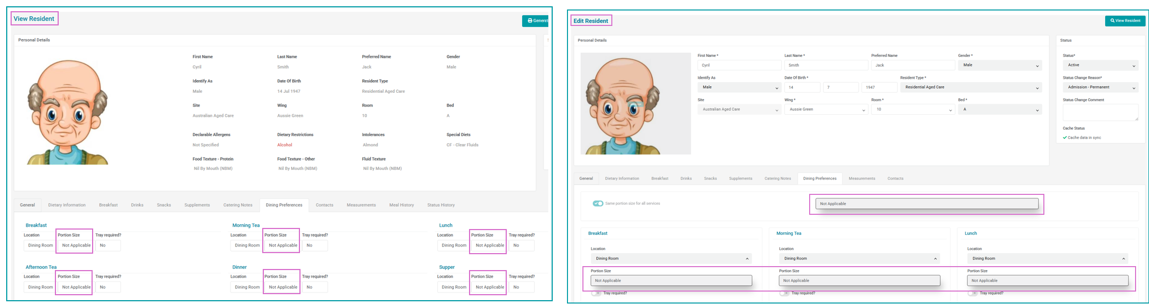
- When the Nil by Mouth (NBM) radio button is set to 'on' the following will occur:
- Nil By Mouth (NBM) will automatically display in the food and fluid texture fields on the View Resident screen
- Not Applicable will automatically display in the food and fluid texture fields on the Edit Resident screen and these fields will be locked to editing by users.
- Not Applicable will automatically display in the Portion Size field for all meal services on both the View Resident and Edit Resident screens and Portion Size will be locked to editing.
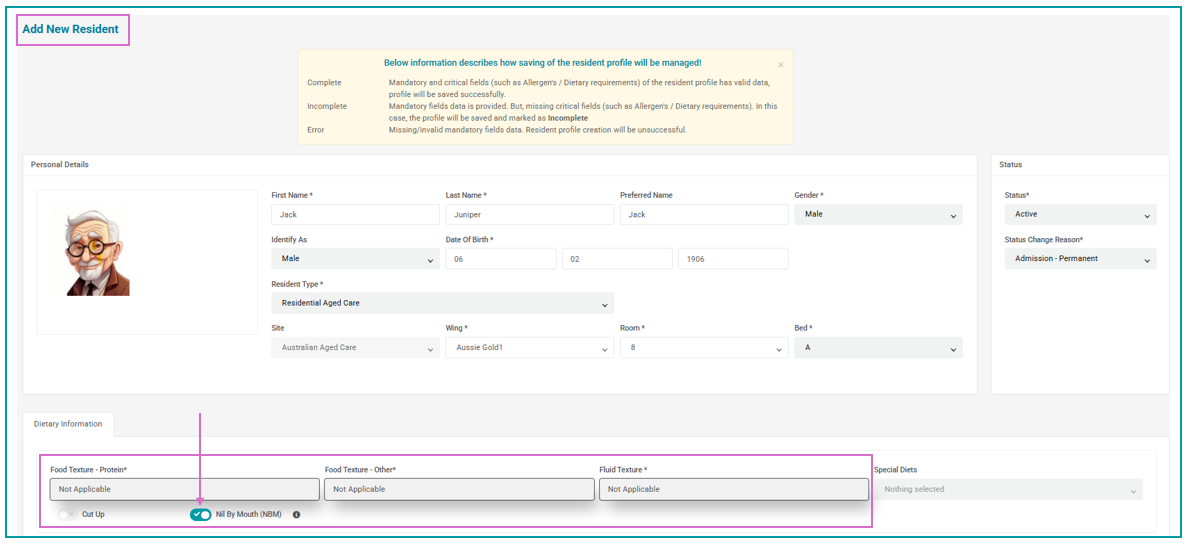
- When adding a new resident, if you switch the Nil By Mouth (NBM) indicator to 'on', the food and fluid texture fields will automatically populate with Not Applicable.
Squashed Bugs
- Available room numbers will be displayed in numerical order when adding a resident.
- Discharge Status Change Reason Transferred to another organisation has been updated to Transferred to another organisation/facility to cover both internal and external organisation transfers. The wording change is reflected in reports and the Status History tab.
- Status History tab now displays Status Change Reason
Was this article helpful?
That’s Great!
Thank you for your feedback
Sorry! We couldn't be helpful
Thank you for your feedback
Feedback sent
We appreciate your effort and will try to fix the article